What is the slowest speed?
0.25× for the whole bounce, and down to 0.2× inside a Slow-mo section. Combined, a section can play at 0.05× of real time, though that only looks good with high-frame-rate footage.
Free · runs in your browser
Bounce a moment at half speed, quarter speed, or slow down only the peak of the action, with frame blending so it glides instead of stepping.
For a slow-motion boomerang, open a clip, press the Slow-mo style and watch the preview: it plays at half speed with soft turns and blends neighbouring frames. Drag Speed down to 0.25× for a dreamier bounce, or use Slow-mo section to slow just the middle of the movement while the rest stays at full pace.
Slow motion is where frame rate shows. A phone clip filmed at 30 frames a second only has 15 new pictures per second at half speed, so motion can step. Smooth frames fills the gaps by blending the two nearest frames, and footage shot at 60 fps (or in a slow-motion camera mode) gives the smoothest result, since the tool reads up to 60 frames a second from the section. For a forward-and-back sequence without the slow-down, see the ping-pong maker.
Press Choose a video. A splash, a jump, hair in the wind or a falling object all suit slow motion.
Drag the window on the strip so it covers about one second. Slow motion stretches it, so keep the window shorter than usual.
Tap Slow-mo under Style. It sets Speed to 0.5×, adds ease at the turn and switches on Smooth frames. Use the Speed presets or slider to go slower.
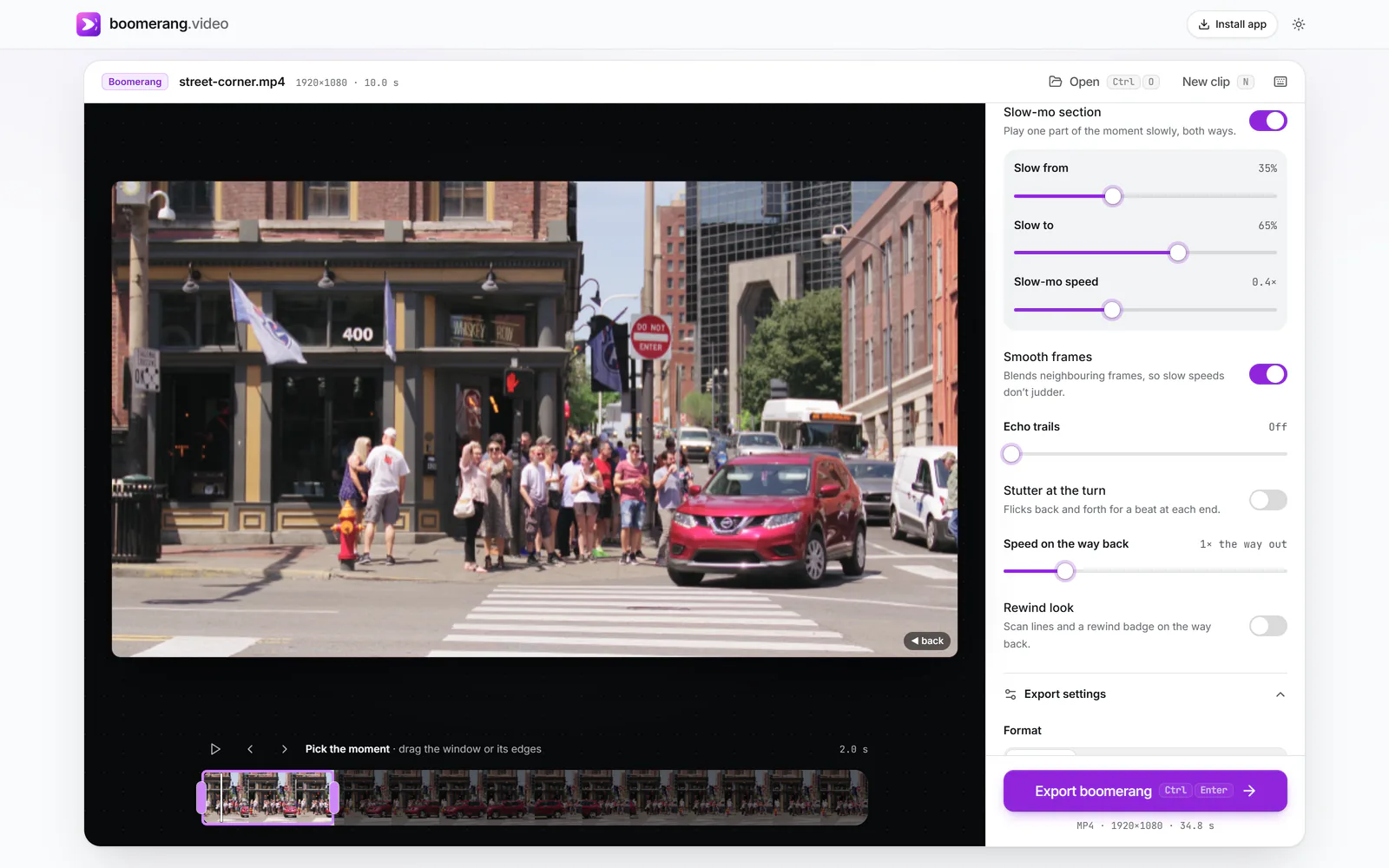
Under More options, turn on Slow-mo section and set Slow from and Slow to around the best part, then set Slow-mo speed between 0.2× and 0.75×.
 (enlarge image)
Slow-mo section on: the middle of the moment plays at 0.4× both ways.
Press Export boomerang. MP4 keeps the full frame rate; a GIF is made at 20 frames a second.
There are two ways to slow things down, and they combine:
The second one is the classic sports-replay effect: normal speed into the jump, slow at the top, normal speed down, and the same on the way back. Set Slow from at about 35% and Slow to at 65% as a starting point, then nudge them while the preview plays.
The slow region is tied to the picture, not to the clock. Whatever is slow on the way out is slow at the same spot on the way back, so the bounce stays symmetrical.
A boomerang can’t invent frames that were never filmed, so quality depends on the source:
For the longest slow-motion boomerangs, keep the moment short. A one-second moment at 0.25× already lasts eight seconds out and back.
With Sound on, the audio slows with the picture, like a tape running slow, so voices drop in pitch. That can be funny, but for most slow-motion boomerangs leaving the sound off, the default, looks and sounds cleaner.
0.25× for the whole bounce, and down to 0.2× inside a Slow-mo section. Combined, a section can play at 0.05× of real time, though that only looks good with high-frame-rate footage.
Yes. Slow-motion phone videos are recorded at a high frame rate and usually play back slowed already. Open the clip, pick the moment and adjust Speed to taste; the result will be very smooth.
When a slowed-down frame falls between two real frames, it blends them in proportion instead of repeating the nearer one. Motion looks continuous rather than stepped, with a slight softness on fast movement.
Slowing stretches both directions. A two-second moment at 0.5× lasts eight seconds out and back. Shorten the window on the strip, or raise Speed, to keep it snappy.
One out-and-back can last up to a minute for video exports and 20 seconds for GIF and WebP. The tool tells you if your settings go past that.