Does the GIF loop forever?
Yes. It is written with an infinite loop count, so it bounces until the page or chat is closed. A few apps choose to play GIFs once regardless; in those, send the MP4 instead.
Free · runs in your browser
Make a forward-and-back GIF from any clip, sized for chats, emails and docs, or a sharper animated WebP that loops just the same.
To make a boomerang GIF, open a video, pick the moment on the strip, set Format to GIF under Export settings and press Export boomerang. The GIF holds one out-and-back cycle and is marked to loop forever, so it bounces endlessly anywhere GIFs play, with no sound and no play button.
GIFs are old and limited to 256 colours, which is why many video-to-GIF tools produce shimmering, blotchy results. This one builds a single palette from frames across the whole bounce and uses it for every frame, so colours stay put as the loop plays. If the place you are posting to supports it, WebP gives a sharper, smaller file with millions of colours. For a video version with sound, see boomerangs without Instagram.
Drop it on the page or press Choose a video.
Drag the window on the strip. For GIFs, under two seconds keeps the file small.
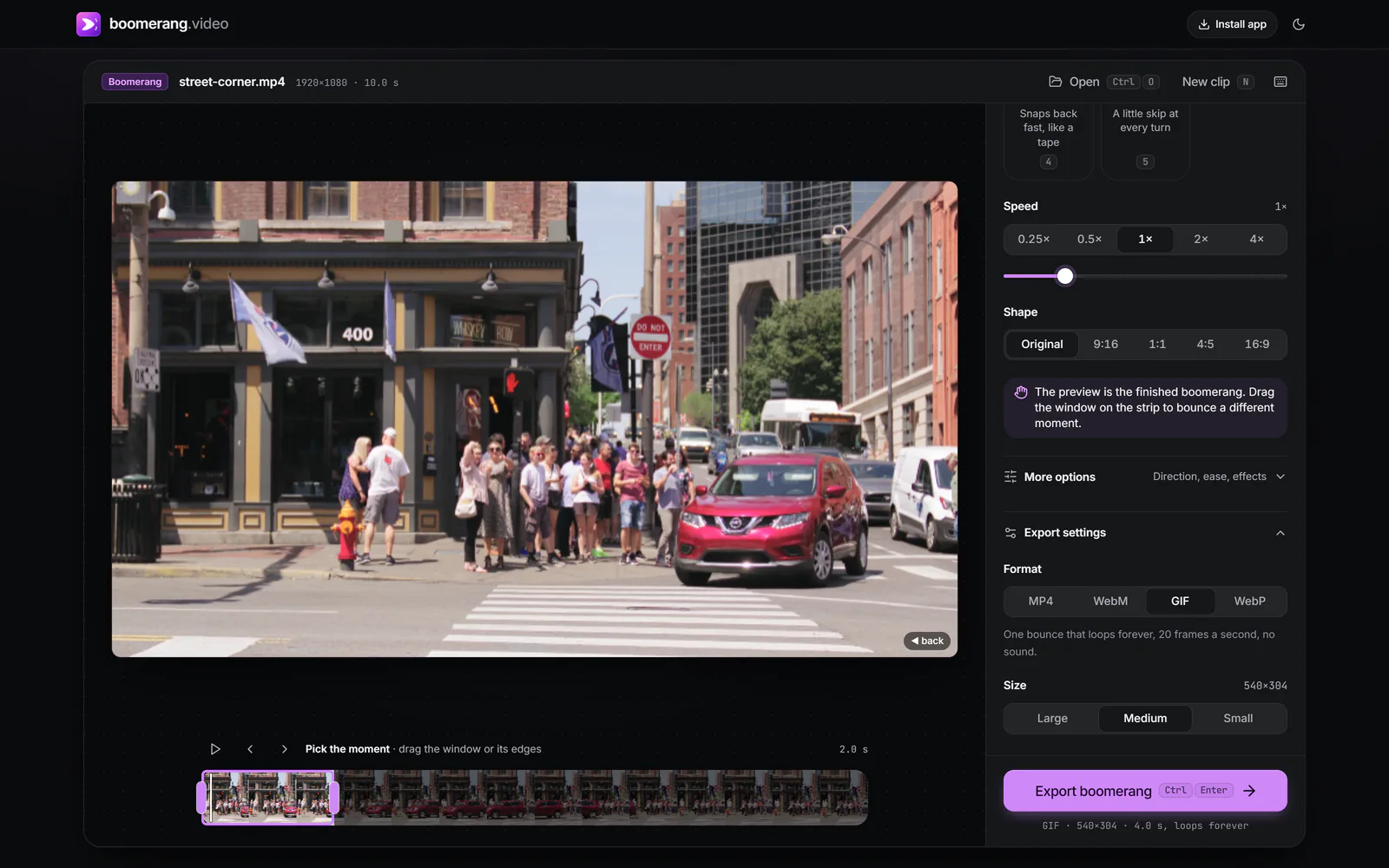
Under Export settings, choose GIF (or WebP) as the Format. Size offers Large (720 px on the long edge), Medium (540 px) and Small (360 px).
 (enlarge image)
Format set to GIF, Size Medium (540 px on the long edge).
Press Export boomerang, then Download GIF. On a phone, Share or save to Photos sends it to an app.
Safari can draw WebP but can’t create it, so on an iPhone, iPad or a Mac running Safari the WebP option saves an animated PNG (APNG) instead. APNG is also full colour and loops forever, but it is larger. Chrome, Edge and Firefox write real WebP.
A GIF stores every frame as a full picture, so size grows quickly. In order of impact:
Video exports repeat the bounce because many players stop at the end. GIFs and WebPs carry a loop instruction instead, so one cycle is all they need, and adding more would only make the file bigger.
Each GIF frame can use at most 256 colours. If every frame chose its own 256, the same wall might be a slightly different beige in each one, and a looping GIF would flicker. The exporter samples frames from across the cycle, builds one shared palette, and maps every frame to it. Smooth gradients such as skies may show fine banding; WebP avoids that entirely.
Yes. It is written with an infinite loop count, so it bounces until the page or chat is closed. A few apps choose to play GIFs once regardless; in those, send the MP4 instead.
No, the format has no audio. If you need sound, export an MP4 with Sound turned on.
It depends on the length and detail, but a one-second moment at Medium size is typically a few megabytes. The result panel shows the exact file size before you download.
Instagram doesn’t accept GIF uploads as posts. Export an MP4 for Instagram, and keep the GIF for chats, email and the web.
Your browser, usually Safari, can’t encode WebP images. The tool makes an animated PNG instead, which loops the same way and keeps full colour.
No. Nothing is added to the frames.