Is a ping-pong video the same as a boomerang?
Yes. Boomerang is the name social apps made popular; editors call the same forward-then-reverse playback ping-pong or a palindrome loop. This page focuses on the precise sequence and repeats.
Free · runs in your browser
Play a clip forwards, then in reverse, with no doubled frame at the turn. Choose the direction, the easing and how many times it goes round.
A ping-pong video, sometimes called a palindrome or reverse loop, runs a clip forwards and then backwards so the end flows straight back into the start. This tool builds that sequence from any part of a video: pick the section, and it plays frame 1 to the last frame and back again, showing the turning frame once rather than twice so the motion doesn’t hitch.
Editors and motion designers use ping-pong playback to stretch short footage, make seamless background plates and turn a single gesture into a rhythm. Here you can also reverse the order (Back, then forward), ease into each turn, slow down part of the movement, and set how many cycles the exported video contains. If you only want the social-media look, the boomerang maker home page explains the styles.
Drop the file here or press Choose a video. The clip is read on your device, not uploaded.
Drag the window and its edges on the Pick the moment strip. The left edge is where the forward pass starts and the right edge is where it turns.
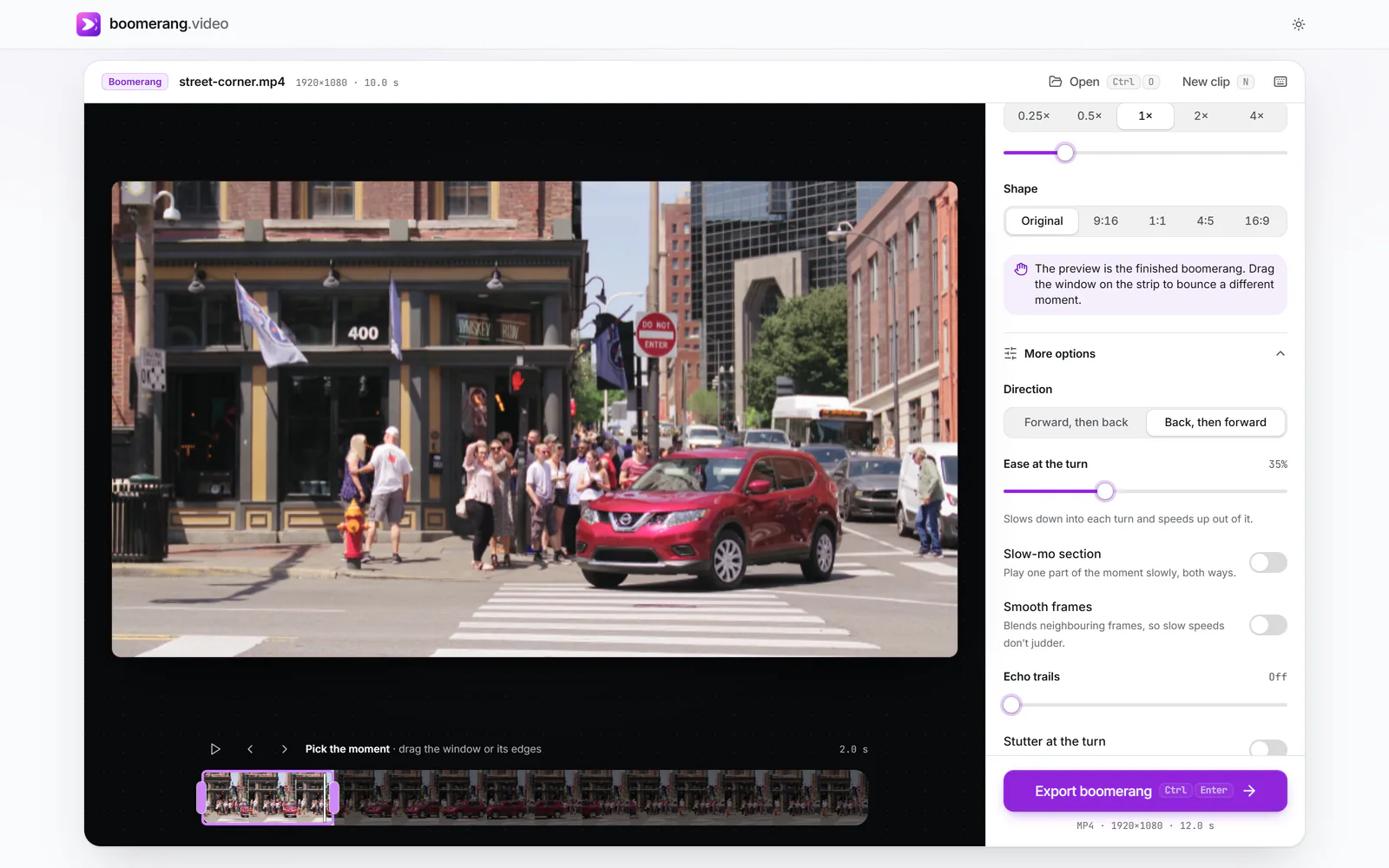
Open More options. Direction sets Forward, then back or Back, then forward. Ease at the turn goes from a hard reversal (Off) to a full stop-and-return (100%).
 (enlarge image)
Direction switched to Back, then forward; Ease at the turn at 35%.
Under Export settings, Loop takes either a number of Bounces (1 to 10) or a Length in seconds, rounded to whole cycles so the file ends where it began. Then press Export boomerang.
Say the section you pick is ten frames long, numbered 0 to 9. A naive reverse loop plays 0 to 9 and then 9 to 0, which shows frame 9 twice and frame 0 twice. Those held frames are the little stall you notice in many homemade boomerangs. This tool plays:
So every cycle is 18 frames and each one joins the next without a repeat. At other speeds the tool samples the same path at 30 frames a second; when a sample falls between two source frames, Smooth frames blends them instead of picking the nearer one.
Ease at the turn reshapes the timing of each pass so it decelerates into the turn and accelerates away, a little like a pendulum. The total length of the cycle stays the same, so changing the ease never changes how long your export is.
Because the exported video ends on the frame before its first frame, you can drop it on a timeline and repeat it again with no seam. Some uses:
For pure motion such as waves, keep Ease at the turn at Off so the reversal reads as natural movement. For people and objects that obviously change direction, a little ease looks more deliberate.
Back, then forward starts on the last frame of your section and plays towards the first before returning. It is useful when the interesting state is at the end: a glass already full, a tower already built. The first impression is the finished state, and then it rebuilds.
Yes. Boomerang is the name social apps made popular; editors call the same forward-then-reverse playback ping-pong or a palindrome loop. This page focuses on the precise sequence and repeats.
Because the turning frame is shown once. If you want a pause, raise Ease at the turn, which slows into each end, or turn on Stutter at the turn for a quick back-and-forth flick.
Yes. Speed on the way back under More options runs from 0.5× to 3× of the forward speed. The Rewind style sets it to 2.5× and adds a tape-style look.
Up to 10 bounces, or a length of up to 30 seconds rounded to whole cycles, as long as the whole video stays under a minute. GIF and WebP exports hold one cycle that loops forever.
Only if you turn Sound on. Reverse the sound on the way back plays the audio backwards during the reverse pass; switch it off and the sound plays forwards on both passes.
Video exports are 30 frames a second. If your source is 60 fps, the section is read at up to 60 fps, which makes slow speeds noticeably smoother.